
GP Rota for Practices, Primary Care Networks, Extended Access Hubs and Training Hubs
Powerful GP Organisational and Collaboration Tool to allow you to excel
“If you want to go fast, go alone, if you want to go far, go together”
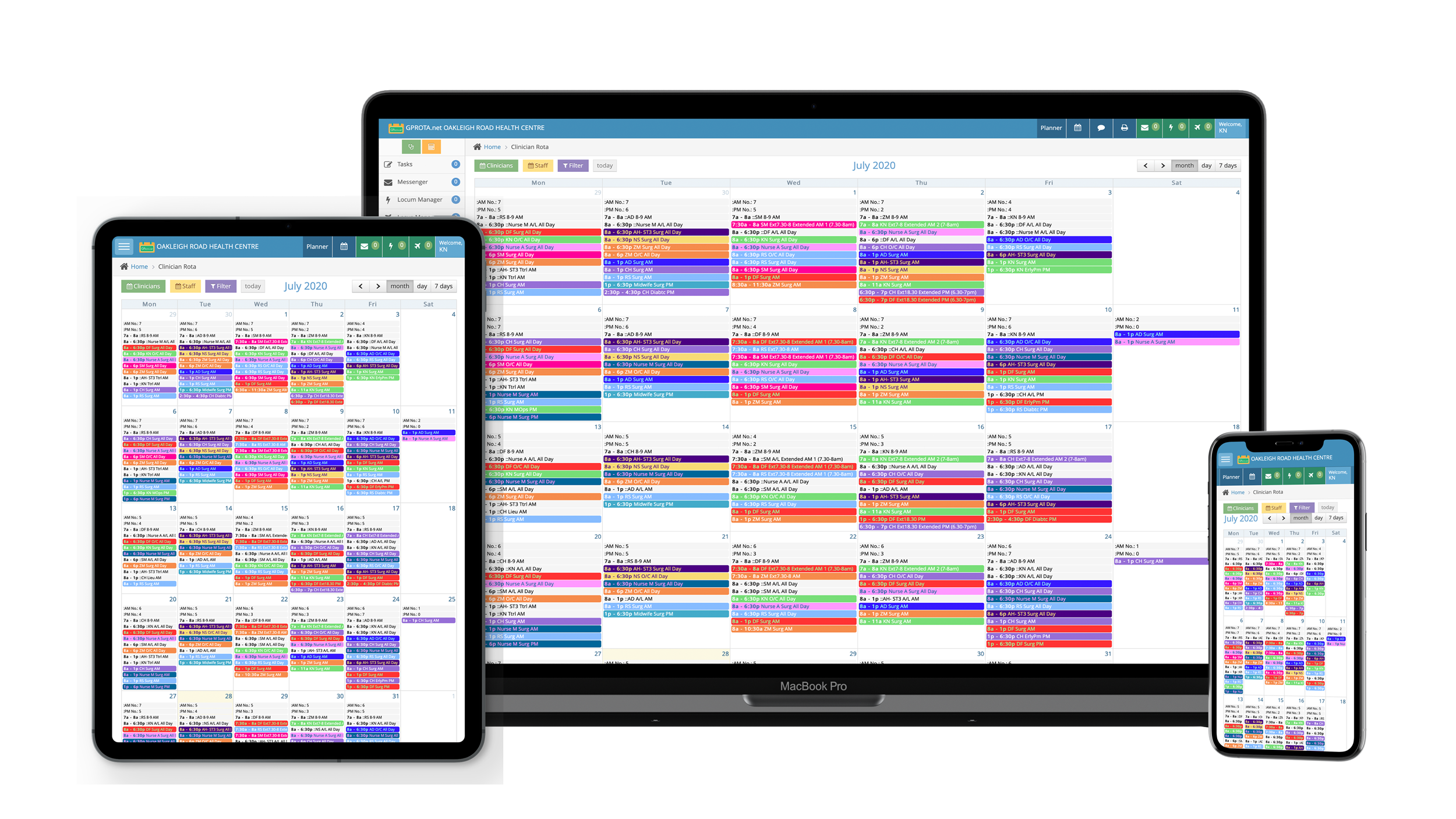
Using GPRota on your computer, tablet or phone just got even better
We have developed GPRota for General Practice from the ground up. As end users ourselves, that means it has all the feel and simplicity in use you would expect for a great functioning General Practice
platform. Of course, we evolve the platform to support the changes in general practice such as our primary care network tools.
Made by Doctors for Doctors.
What’s new in GPRota
Autumn 2026 update. Over the last few months we have rebuilt large parts of GPRota, made it much faster, completed a full security review, added a set of new management tools and, in October, a family of AI assistants that work from your own rota data. Here is what has changed.
Much faster
Reports that used to take minutes on a large practice now load in under a second, and the rota calendar loads several times faster.
More reliable editing
A failed save now tells you instead of leaving a spinner on screen. A drag or resize that fails snaps back, deleting asks you to confirm, and you are no longer silently logged out while you work.
Security review completed
Every page and data request now requires a login and is locked to your own practice’s data. Passwords are no longer kept in browser cookies, and calendar feeds use private links.
Leave Manager and Year Planner rebuilt
Leave screens now reconcile exactly to the rota and show only people who have worked in the last 12 months. Clinicians can receive a fortnightly email of their entitlement and remaining allowance, with a summary for the practice manager.
Reporting and checks
Session, staff, extended hours and payroll reports now have totals, one-click CSV export, date presets and click-through to the underlying sessions. Rota Checker and Conflict Checker lead with a clear pass or fail.
Backup and restore
Download your full rota as a spreadsheet at any time and restore from it. Every restore takes an automatic safety snapshot first.
Your rota in your phone’s calendar
Each clinician can subscribe to their own rota in Apple Calendar, Outlook or Google Calendar with one tap. A whole-practice feed is available for managers.
Templates from your own history
GPRota looks at your last 13 weeks and suggests a weekly template based on what your practice actually does. Adjust the draft in plain English before saving it. Clinician names never leave our server.
New management tools
PCN Tools with the 26/27 funding calculator and workforce dashboard, QOF Tools, Practice Insights benchmarked against published NHS England data, a CQC Readiness self-assessment and a Policy and Contract Library.
New in October: AI assistants for your rota
Describe what you want in plain English and GPRota does the clicking. Every suggestion is previewed before anything changes, every change can be undone in one click, and clinician names are replaced with anonymous labels before anything leaves our server. Available to practice administrators now.
AI Rota Maker
Write your on-call rules as you would say them - “Dr A does one duty a week but never Mondays or Fridays, Dr B mainly Mondays, no more than 24 each this year” - and get a draft rota for the whole period that honours every rule, with the checks shown alongside.
AI Rota Editor
“Move Dr A’s Thursday surgeries to Room 3 for November”, “swap B and C on the 12th”, “add a PM hub session for D every Tuesday until Christmas”. See the before and after, tick what you want, apply, and undo the whole run if you change your mind.
Ask the Rota
Who is on duty next Tuesday? How many hub sessions did we run in September? When is Dr A next off? Ask in plain English and get the answer from your rota in seconds.
Smarter leave decisions
Open any leave request and ask for an assessment: what the person has on those days, who else is already off, which minimum-staffing rules would break, their remaining entitlement and any clashing requests - with the evidence underneath.
Fill gaps faster
Rota Checker failures now come with a Suggest cover button that ranks who could plausibly fill the gap from their history and availability. In Locum Manager, one click picks the locums most likely to say yes and drafts the message for you.
Weekly rota digest
Every Monday morning your administrators receive a digest of the week ahead: who is on each day, who is off, unfilled locum slots, rules not met, leave requests waiting and a short written summary of what needs attention.
Also new: a refreshed GPRota iPhone app (version 1.3) on the App Store, and cleaner, mobile-friendly email notifications.
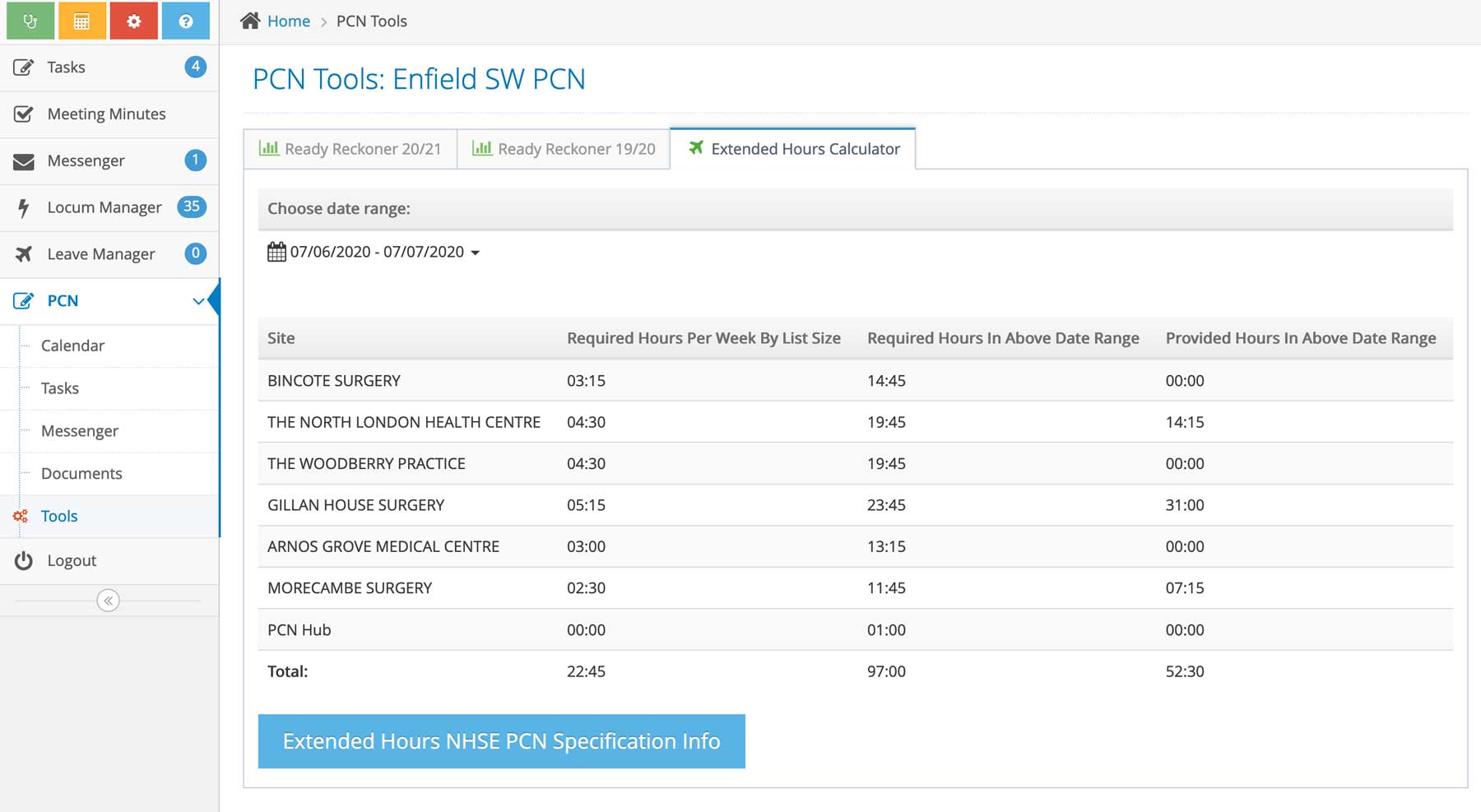
Primary Care Network (PCN) Tools
Use our PCN tools to help with your up to date financial modelling
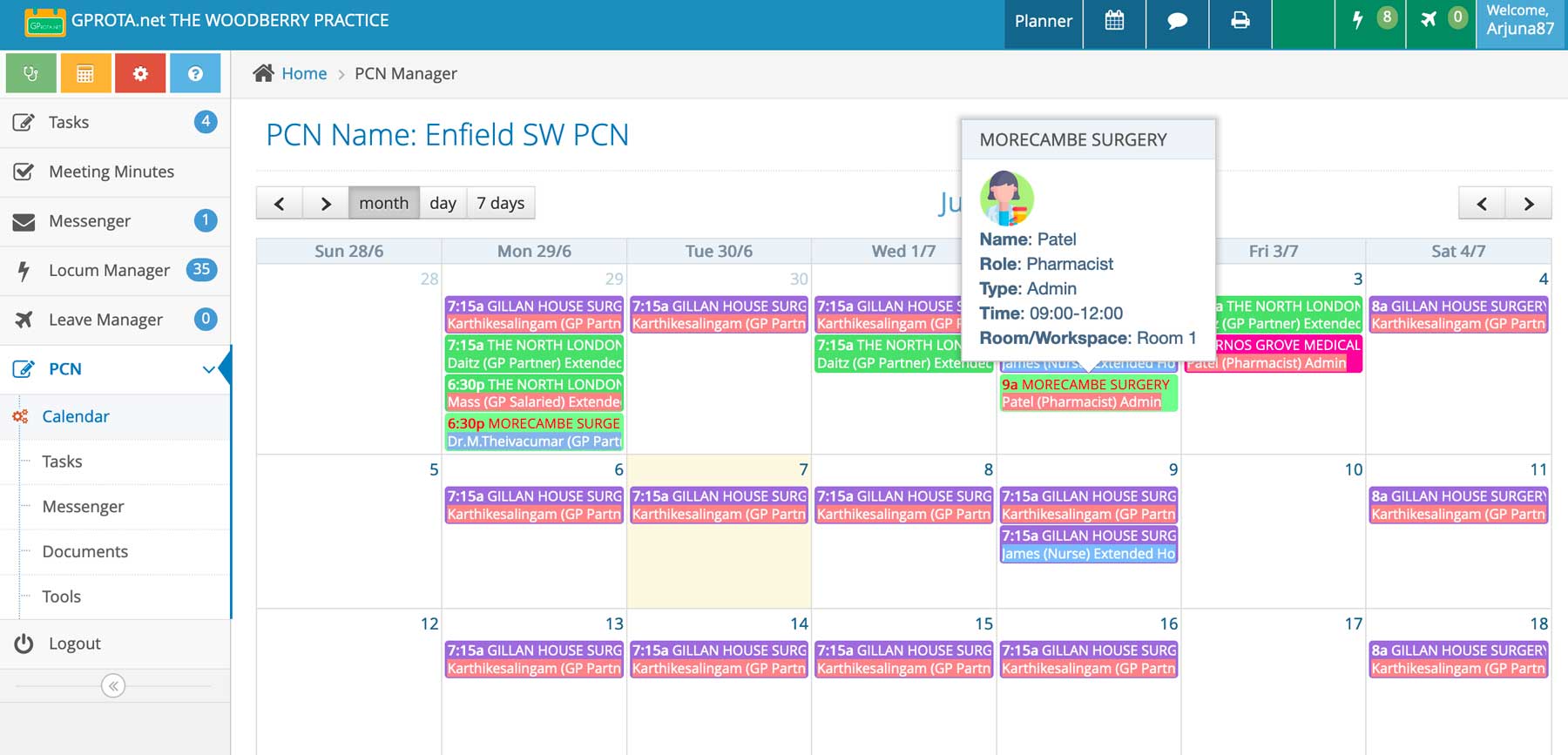
PCN Rota
Our primary care network tools allow you to rota your entire PCN workforce across all PCN sites and estate resource on a single interactive calendar.
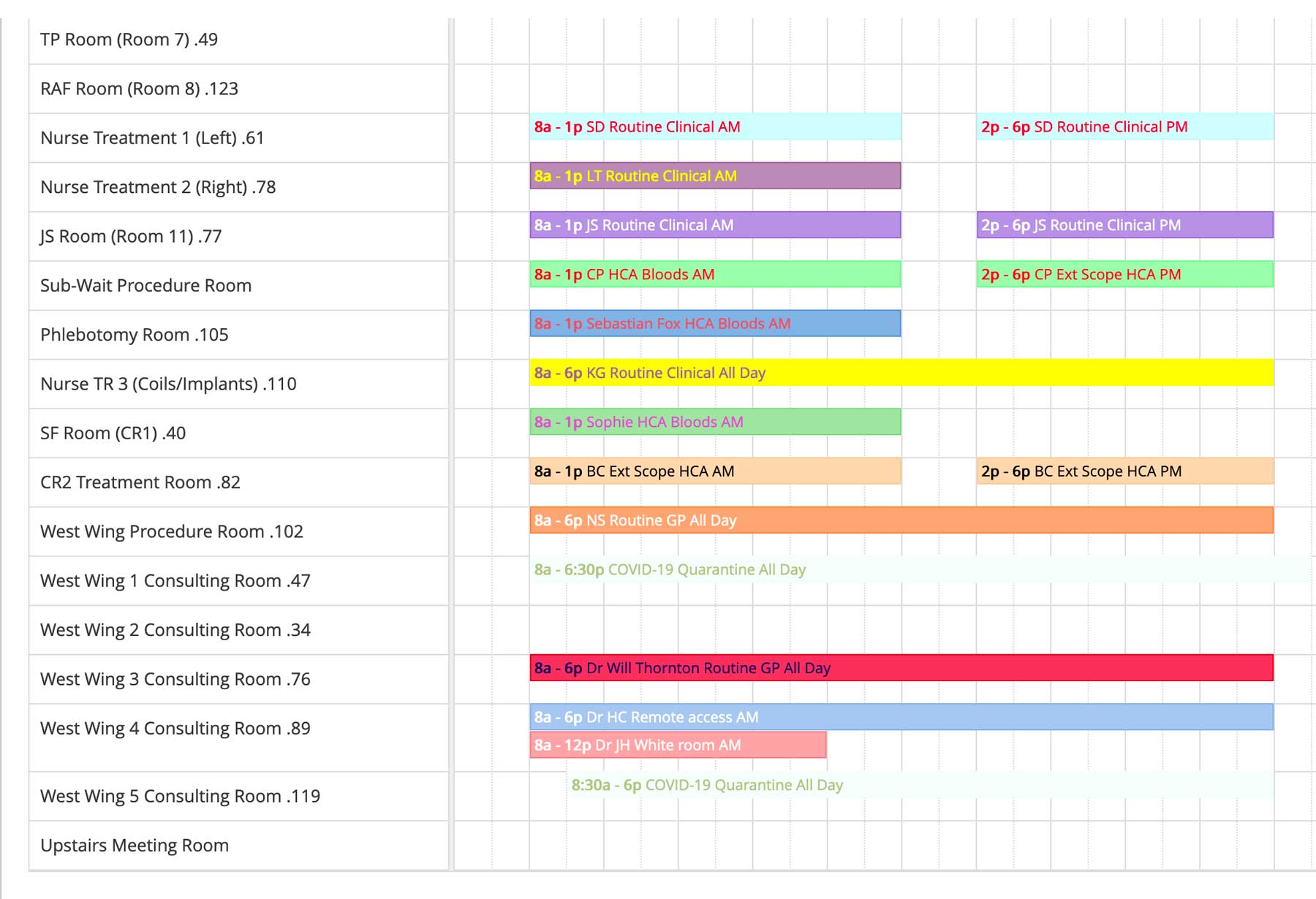
Organise Premise Resources
Use timeline view, to organise your sessions by room or workspace. Maximise and make the most efficient use of your premises and sites. Re-arrange your workforce by workspace to increase room availability.
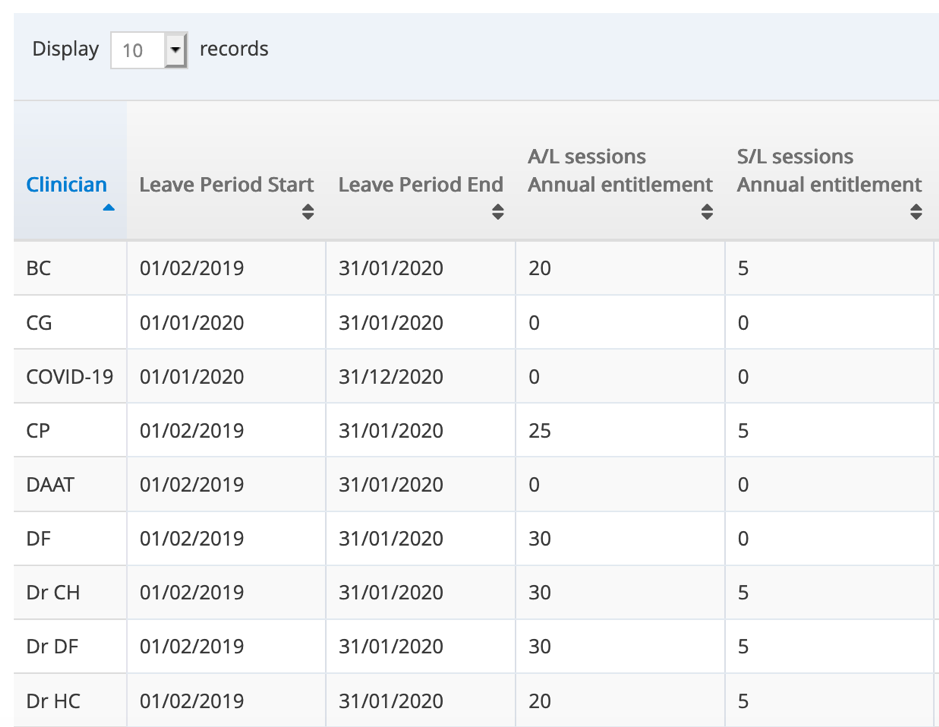
Leave Manager
Easily keep track of all your staff leave entitlements and remaining allowances. Trackable by sessions or by hours worked.
Leave applications can be approved and added directly onto the rota.
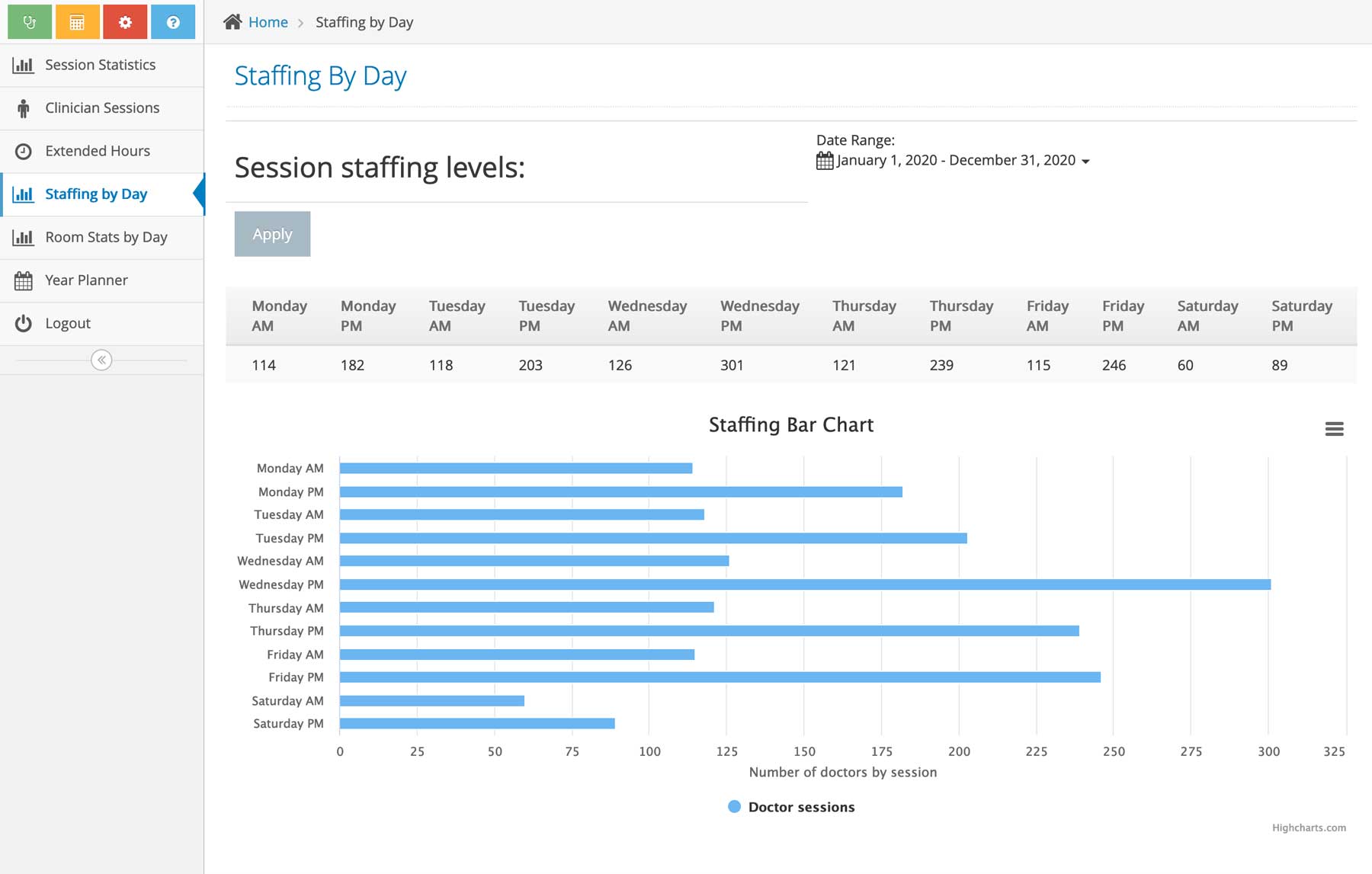
Business Intelligence Tools
GPRota is designed from the ground up for General Practice. This becomes obvious when looking at the clean user interface, which makes use of the elegant tabs providing a simplified view on all devices.
And, of course, you can further personalise the appearance by choosing the order of selection tabs within each list.
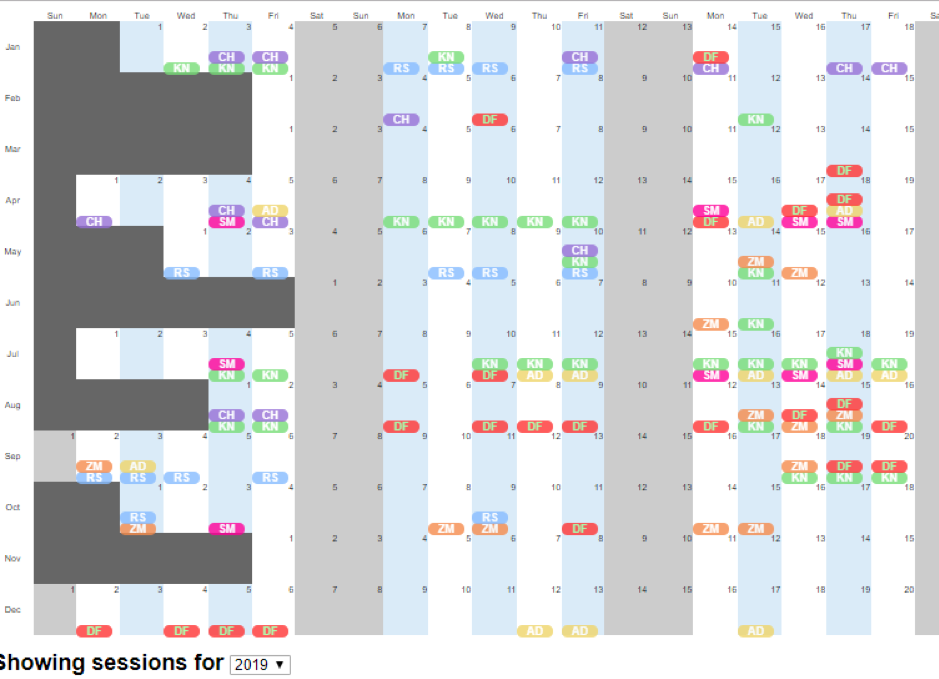
Year Planner
Generate Year Wall Planners to get an instant visual representation of staff leave or any other sessions you want to display.
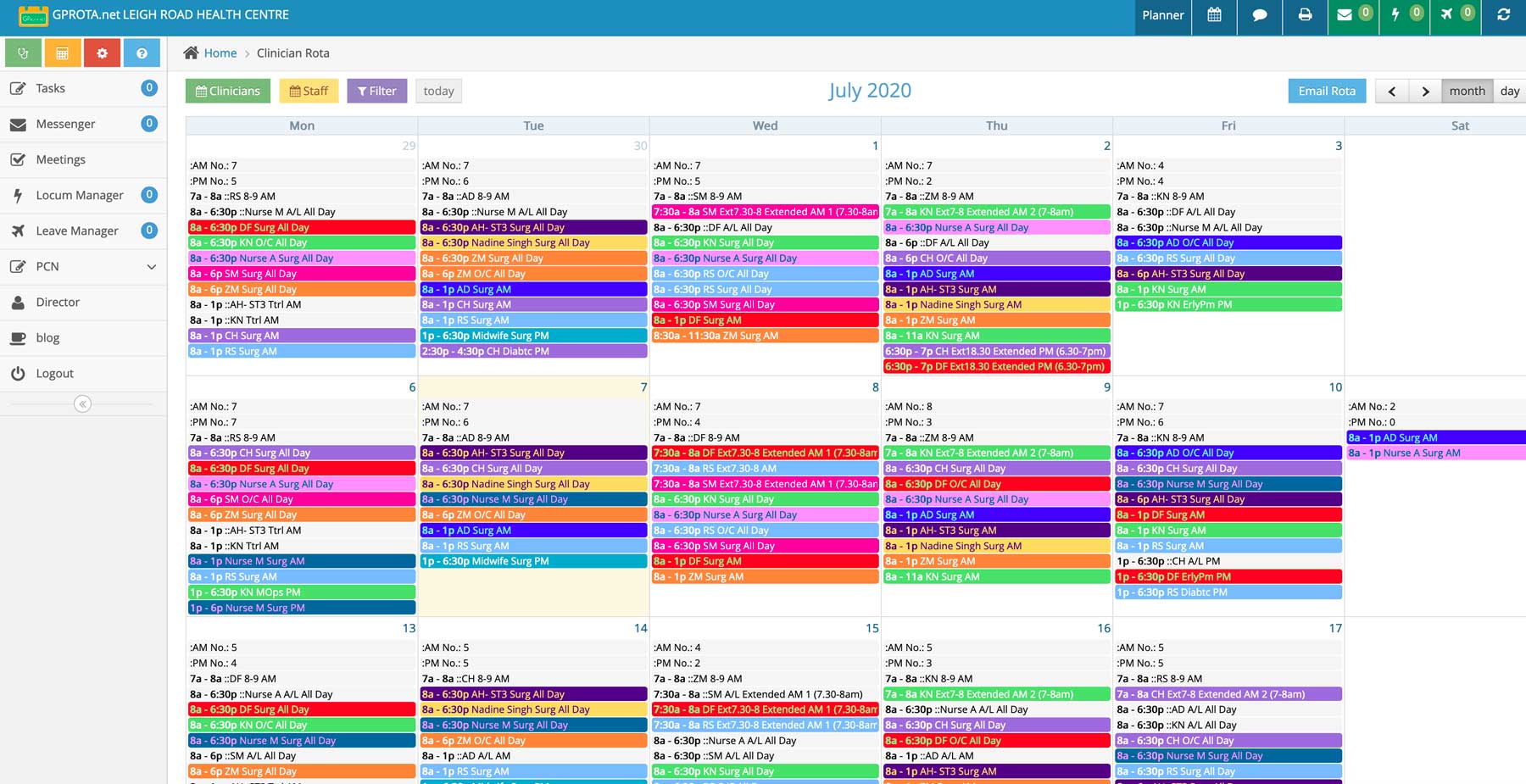
Clinician and Staff Rotas Online
Create your clinician and staff rotas online seamlessly with our interactive calendar. Drag and drop new or existing sessions. Create complex rotas easily using our templates tool.
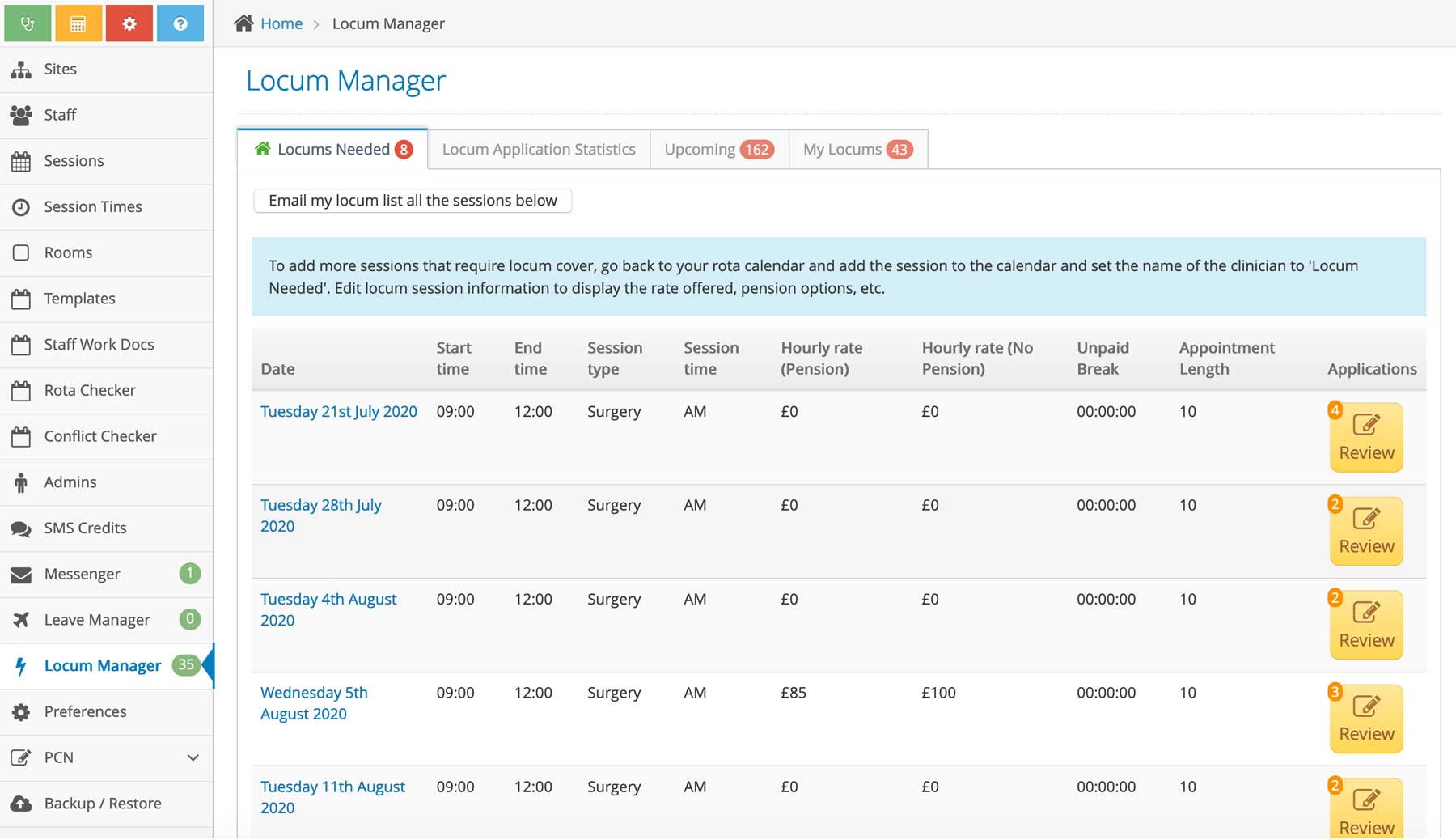
HUBRota - Manage Locum Workforce with Ease
We provide you all the tools to manage your regular locum workforce with ease. This tool can be used at a practice or hub setting. No further need to spend on expensive locum agency fees for each and every
session! The software allows locum application processing, work compliance document storage and communication tools via email or SMS.
Once you’ve created your rota, you can use the Rota Checker app to make sure you have met all your practices minimum needs and requirements.
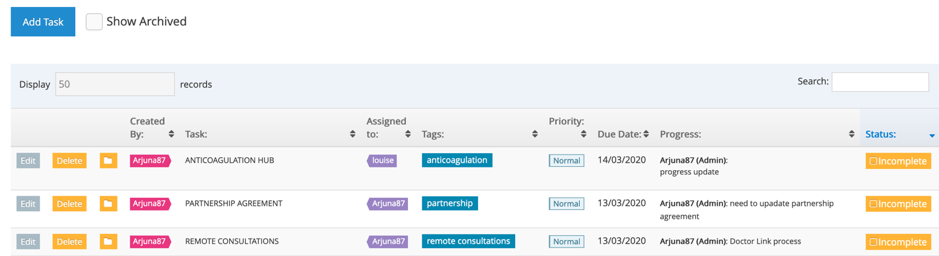
Task Manager
The ‘Task Manager’ app keeps track of all your practice tasks that need completing with clear progress updates from all stakeholders.
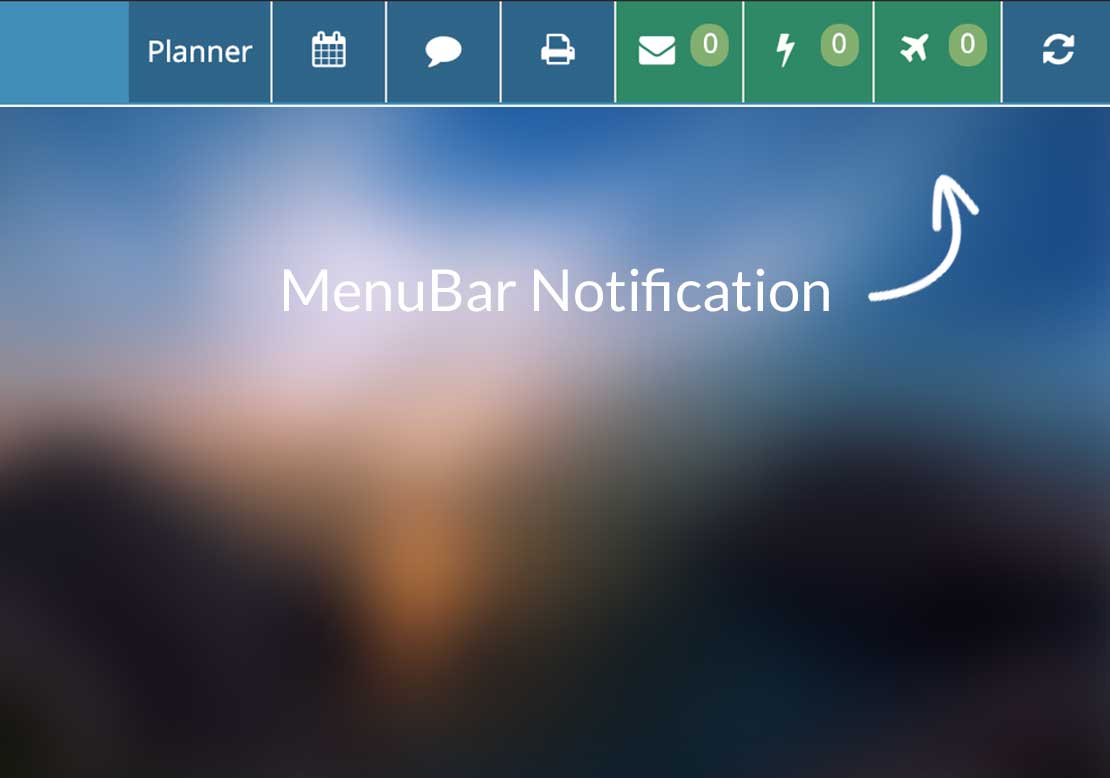
Notifications
GPRota gets you collaborating immediately when you want to work across any practice with multiple sites or networks who may be on different platforms.
You can get notifications in the MenuBar on the top bar. You can also get notifications about locums and annual leave across your sites.
Further, you can choose to disable the message alerts or preview the message as an email or text message (additional paid features).
Full reassurance: SSL secure certificate, all rota changes are fully trackable
We have developed a secure revert to login page in order to keep work protected for when away from your desk, this will keep your work protected and easily available.
If you make a mistake, our servers are backed up in order to help you retrive any information. Local backup is also available for peace of mind.

What Our Users Say
Absolutely Invaluable
" We’re finding GPRota to be an absolutely invaluable aid to the smooth running of the practice. We are now able to keep track of where everybody is, and at a time when room capacity is at a premium, the benefits of knowing on any given day which rooms we have available has proved to be a fantastic aid to planning."
Paul Netherton, Bicester Health Centre
GPRota for practice and network needs
A powerful tool for organisation and collaboration, allowing you to excel
Trusted by many happy practices and networks across the UK. Become one of them and start to enjoy using GPRota today!
